
The Short Answer
If a remote is lost or stolen, the fastest fix is to clear all codes stored on your garage door opener and reprogram only the remotes and keypads you still have. Most residential openers don't let you delete a single remote from the list — it's all or nothing. That sounds inconvenient, but it takes about ten minutes and means the missing remote can never open your door again.
Tools You'll Need
- A step stool or short ladder to reach the opener unit on the ceiling
- Your opener's model number (usually on a sticker on the motor housing) or the owner's manual
- A pencil and paper to write down which remotes and vehicles you're reprogramming
- A flashlight, since most garage ceilings are dim even with the door open
- A fresh 9V or coin battery for the keypad, in case corrosion or a dead battery is part of the problem
Step 1: Locate the Learn Button
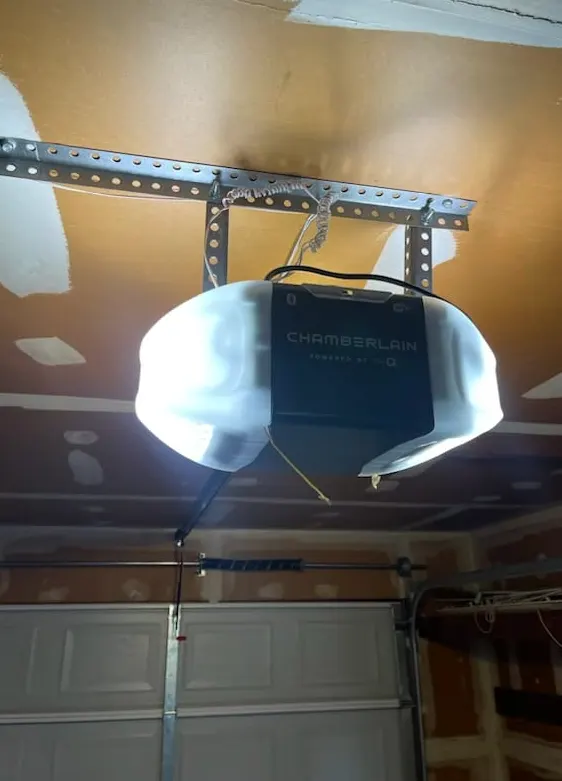
Every modern opener has a small button on the back or side of the motor unit, often near where the antenna wire hangs down. It may be labeled “Learn,” “Smart,” or just show a single colored button. This is the control center for every remote and keypad paired to your door.
Step 2: Clear the Existing Codes
- Press and hold the Learn button until the indicator light next to it turns off (usually 6–10 seconds). On some brands you press it twice quickly instead — check your manual, since this step varies.
- Once cleared, every remote, keypad, and vehicle-integrated opener (like a HomeLink button) tied to the door is disconnected, including the lost one.
- Test the wall-mounted control panel inside the garage to confirm the door still opens manually; this one is hardwired and isn't affected by the reset.
Step 3: Reprogram Your Keypad
- Press the Learn button once. The indicator light will blink, giving you about 30 seconds to act.
- At the keypad, enter a new 4-digit PIN of your choosing, then press the Enter or large button.
- Walk back and test the new code. If the door doesn't respond, you likely missed the 30-second window — just repeat the process.
- Pick a code that's easy for your household to remember but not your street address or a repeating sequence.
Step 4: Reprogram Each Remote
- Press the Learn button once again.
- Within 30 seconds, press and hold the button on the remote until the opener's light flashes or the door jogs slightly.
- Repeat for every remote and vehicle button you want to keep active.
- Test each one from inside and outside the garage before you consider the job done.
What's Safe for a Homeowner to Do
Clearing codes, reprogramming remotes, and changing a keypad PIN are all tasks most homeowners can handle with the steps above. These are software-level resets built into the opener for exactly this situation, and there's no risk of damaging the unit by pressing the Learn button or entering a wrong code.
What Needs a Technician
Call in a professional when:
- The Learn button doesn't respond at all, which often points to a failing circuit board rather than user error
- The keypad has visible corrosion on the contacts or battery terminals — common here after a humid summer, since moisture works its way behind the rubber gasket on wall-mounted and wireless keypads alike
- You want to upgrade to a rolling-code remote system for better security, since older fixed-code openers are easier to clone with inexpensive scanner devices
- The opener is more than 10–15 years old and struggles to hold a paired code for more than a few weeks, which usually means the receiver itself is wearing out
A Note on Our Weather
Central Florida's humidity and salt-tinged air don't just affect springs and hinges — they get into keypad housings too. If your wireless keypad has started feeling sticky, sluggish, or needs several tries to register a code, open it up and check for a corroded battery contact before assuming the whole unit is bad. A $10 battery swap and a quick wipe-down with a dry cloth solves more of these calls than people expect. If you're near the coastal side of our service area, it's worth checking that seal every few months during storm season, since wind-driven rain can push moisture into gaps a dry winter never would.
When to Call Poinciana Garage Door
If you've gone through the reset steps above and the opener still won't accept a new code, or if you suspect the receiver board itself is failing, that's a job for our Garage Door Opener Repair & Installation service. We'll diagnose whether it's a simple fix or whether the unit has reached the end of its life, and if a replacement makes more sense, we'll walk you through options built for our climate — including units with sealed, corrosion-resistant keypads. We also handle routine Garage Door Maintenance visits, which is a good time to have us check opener wiring and keypad connections before they become a lockout problem.
If a remote has gone missing and you want it handled right the first time, or your keypad just won't cooperate anymore, give Poinciana Garage Door a call. We serve Poinciana, Kissimmee, Haines City, Davenport, St. Cloud, Celebration, Dundee, and Lake Wales, and we can usually get a technician out the same week.